 lingowing
Free
US$0
Every day, at no cost.
- 40 phrases heard and translated a day
- 10 smart replies a day
- Speak, type and quick phrases, no limit
- Every situation and all 19 languages
Lingowing listens to the person in front of you, tells you what they said, suggests what to answer and says it for you. On your iPhone, even offline.
Coming soon to the App Store. Free to start, for iPhone.
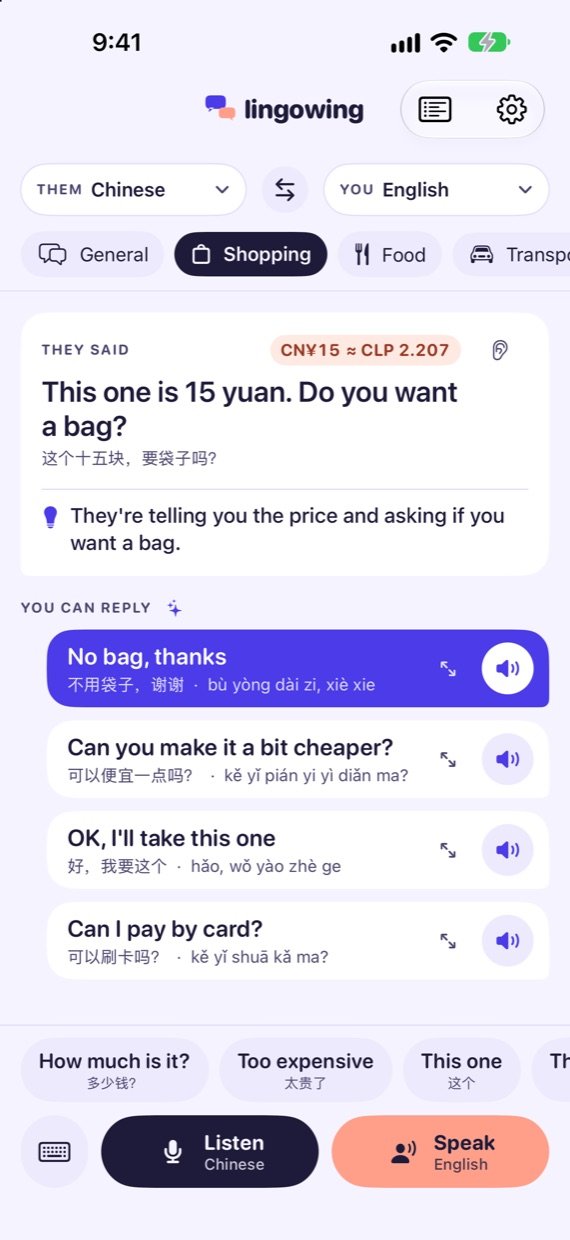
Tap Listen and leave the iPhone near them. You get what they said in your language, on screen and in your headphones.
Hold Speak, say it in your language and let go. Lingowing says it in theirs, out loud.
Write it, and show it on screen in big letters or let the iPhone say it.
Lingowing reads what they just said and offers replies in their language. You choose by what each one means in yours.
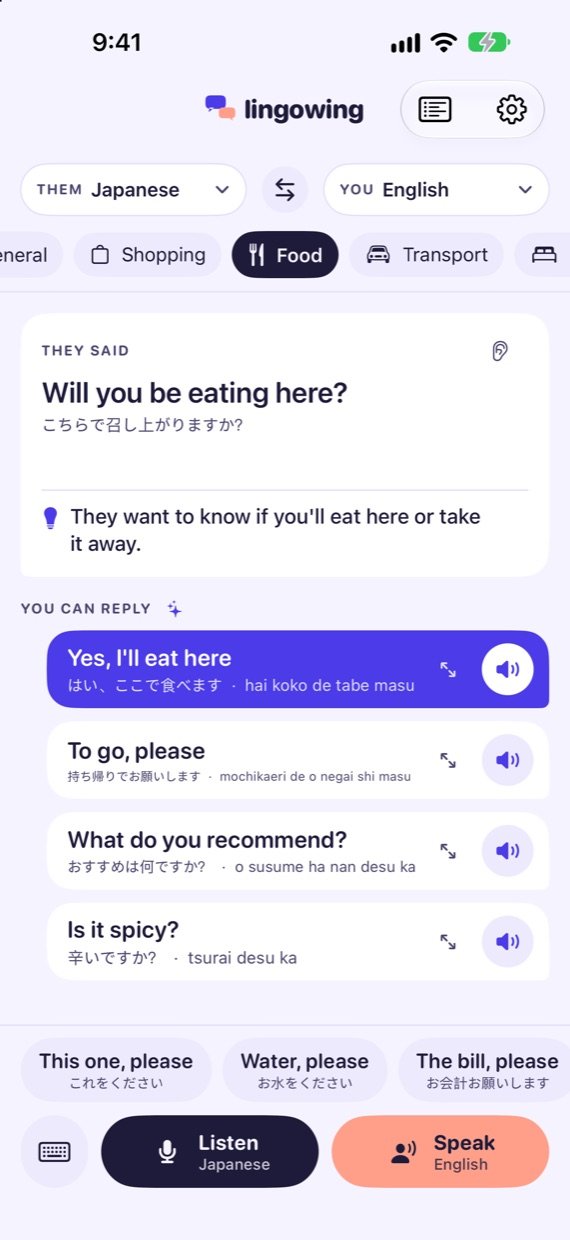
Big, what you're about to say. Small, how it reads in their language.
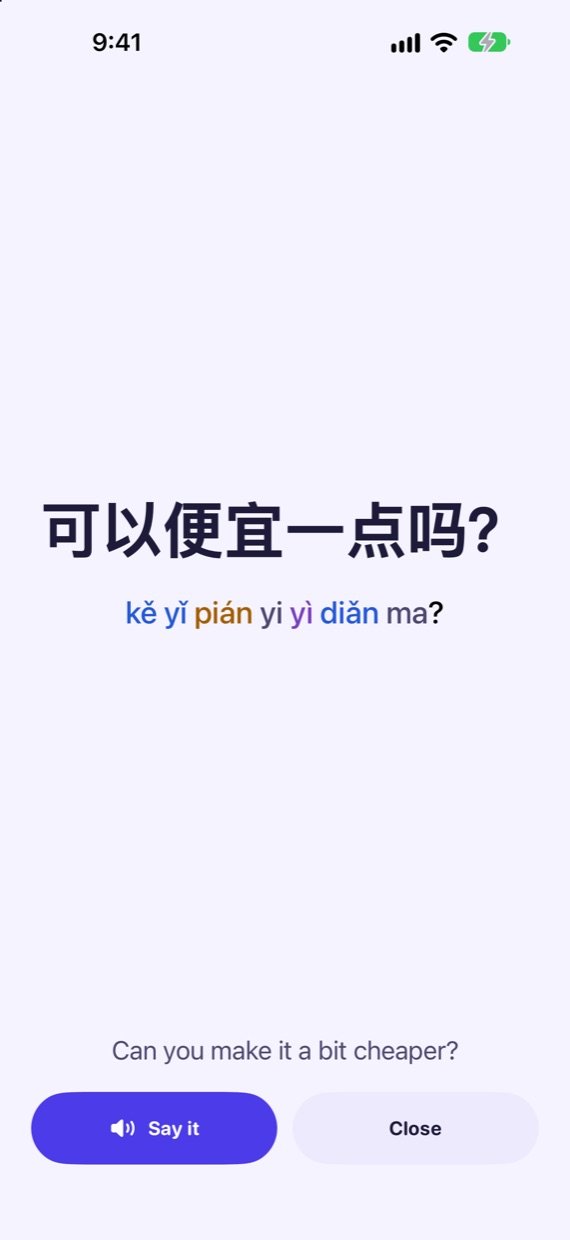
Turn the phone around. The phrase fills the screen, with pinyin, rōmaji or a reading guide.
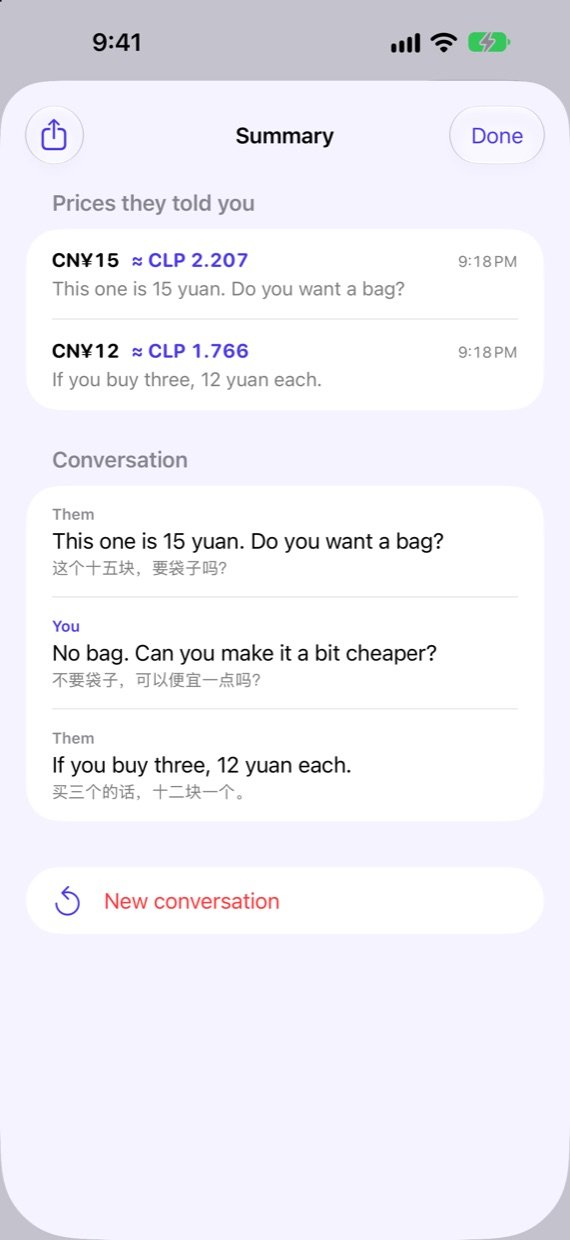
When they say a price you see it converted, and the summary keeps them all.
AirPods, any Bluetooth brand, wired or USB‑C. The iPhone's own microphone listens to them; the translation goes to your ear.
Download your languages once, with one button. After that it works on the plane, on the metro or without a local SIM.
Shopping, food, transport, hotels and business meetings. The replies change with where you are.
Under the translation, one line on what they want from you, such as “They're telling you the price and asking if you want a bag.”
Pick theirs and yours, and swap them with one tap.
Smart replies with Apple Intelligence. The rest listen, translate, speak and give instant replies.
Listening, translation, voices and replies run on the device with Apple's own technology. On the App Store: Data Not Collected.
Cancel anytime in your Apple Account settings.
US$0
Every day, at no cost.
US$3.99/ week
Made for a trip.
US$29.99/ year
About US$0.58 a week.
Prices in US dollars. The App Store shows them in your currency.
Something not working, or an idea? Write to me and I'll answer myself.
agustin@forrate.clAn iPhone with iOS 26 or later. Smart replies use Apple Intelligence (iPhone 15 Pro or later, turned on in Settings). Without it, Lingowing still listens, translates, speaks and gives instant replies and phrases.
Yes. The first time you pick a language, the app downloads it from Apple. After that, listening, translating and speaking work offline. Exchange rates update the next time you're online.
Any: AirPods, other Bluetooth brands, wired or USB‑C. Lingowing always listens with the iPhone's microphone, so it hears the person in front of you even if your headphones have a mic. The screen shows where it's listening from and where the sound goes.
Hold Speak, say it in your language and let go. Lingowing says it in theirs through the iPhone's speaker, and listening picks up again when the voice finishes.
No. Audio is turned into text on your iPhone and isn't saved. There's no account and no server. Read the privacy policy.
In the app, open Settings, then Lingowing Pro, then Restore purchases, with the same Apple Account you subscribed with. To cancel, open Settings on your iPhone, tap your name, then Subscriptions.
Payments go through Apple, so refunds are requested at reportaproblem.apple.com. If something didn't work, tell me too so I can fix it.
Leave your email and I'll write once, the day it's on the App Store.